The two jobs the tag does once it is on the shelf
Once an item is tagged, two things become possible that were not before. A security gate at the exit raises an alarm on any item whose security has not been de-armed, and counts passages while it is at it. A handheld reader walked along the shelves reads up to 30 tags per second and reports what is missing, what is misplaced and what you were looking for, without pulling a single item off the shelf and without closing the library.
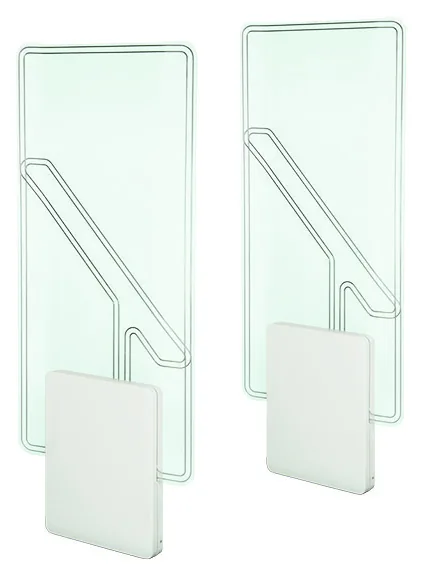
Independent of the network, by design
The gates read at 13.56 MHz and comply with ISO 15693 and ISO 18000-3 Mode 1. They trigger on the EAS state, the AFI value or the tag UID. Two ranges: Wave, up to 1,300 mm of aisle, and Excellence, up to 1,600 mm.
Detection is local. If the network drops, the gates keep working, which is exactly why they are worth having as a separate layer rather than as a feature of something else.
A radar counter is built in, which gives you a footfall figure with no extra hardware. One caveat matters: the count is bidirectional. It counts passages in both directions without telling them apart. Dividing by two is a convention, not a measurement. It is excellent for comparing hours, days and years; it is weak as an absolute figure in a funding return.
What a gate does not do
It only detects what carries a tag. An untagged item walks out silently, which makes the quality of your tagging project the real condition of your security, not the gate specification.
It does not tell you which item is leaving, either. Some configurations report the identifier read, but an alarm remains an alert about a passage, not evidence. What happens next is a matter for your rules and for how your staff are trained to approach a borrower, which is a far more delicate subject than sensitivity settings.
Three placement rules are worth more than any adjustment. Keep clear of metal masses, since an automatic door, a lift or nearby structure distorts the field. Keep clear of another 13.56 MHz emitter, including a kiosk less than two metres away. And leave no way round: a gate that can be bypassed through a fire exit propped open in summer protects nothing.
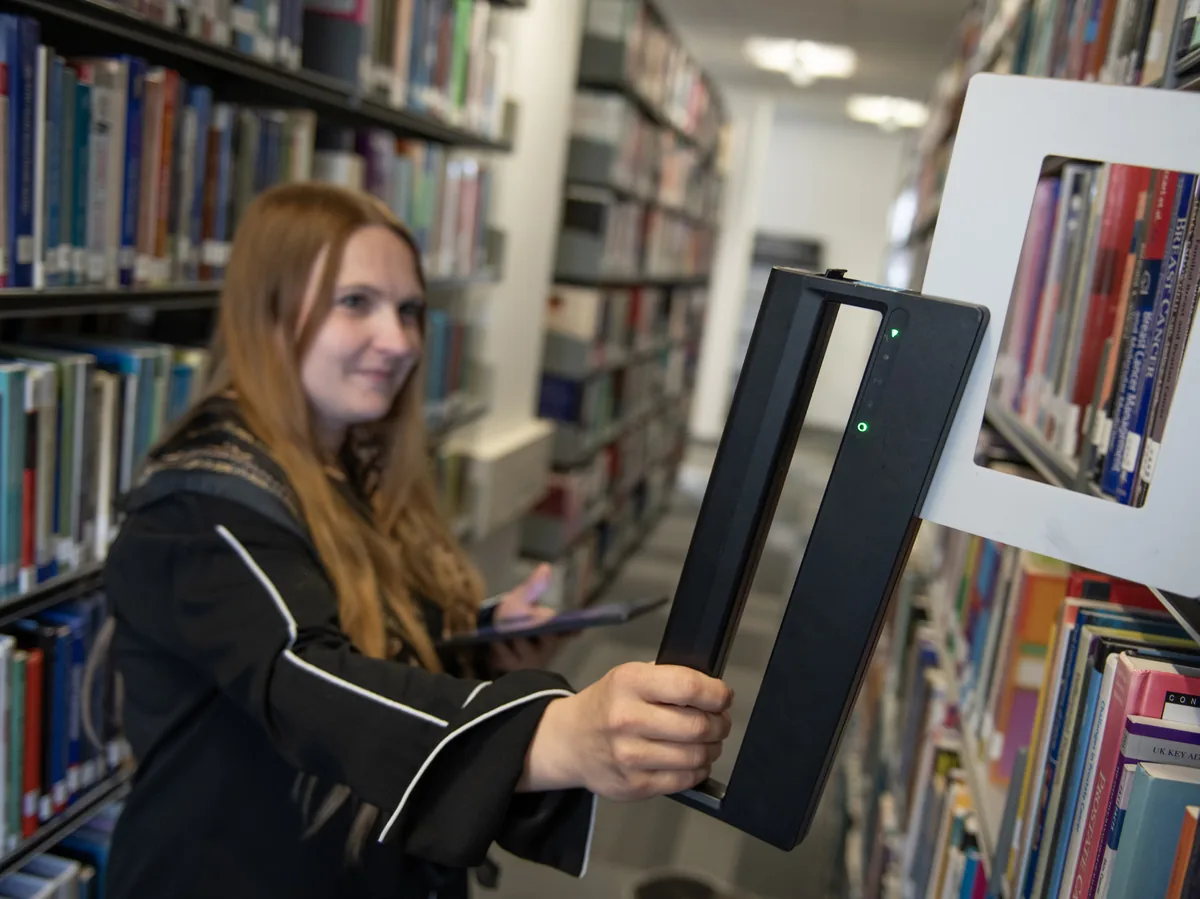
A week of closure becomes a rolling task
The Library Clerk pairs a FEIG PRH200 handheld of 600 g with an Android app and a web console. Staff walk the shelves; the app signals by sound, vibration and LED whatever needs attention.
- Collecting: find the items on a holds list in one pass
- Misplaced items: immediate alert when an item does not belong in the range being walked
- Stocktake validation: comparison against a list exported from the LMS
- List creation: build an inventory from scratch, everything read goes on the list
- Owner check: verify the ISIL owner code, which matters in a consortium
The device runs these simultaneously. Somebody searching for three holds also flags misplaced items and feeds the stocktake, without switching mode. Battery life is 16 hours in standard mode, 8 in boost.
The limit to know about
It does not verify shelf order. It tells you an item is present in the range you walked, or that it has no business being there. It does not tell you it is filed between the wrong neighbours.
HF RFID gives no fine positioning. A system claiming to sequence a shelf to the centimetre is describing a different technology, at a different price.
In practice this limit costs little. Finding what is missing and what has strayed into another section is most of the time lost in a stocktake. Fine ordering within a shelf run stays a human job, and it is quick once you know where to look.
The step to settle before you buy is a different one: the export and import format. The cycle runs LMS export, then list upload to the console, then fieldwork, then results back, then LMS update. Steps one and five are file exchanges, not live synchronisation. Validate them with your LMS vendor first. That is what turns a simple deployment into a project.
Related pages
Equipment
Eighteen Lyngsoe Systems products with their dimensions, throughputs and standards: kiosks, return units,…
Read →LMS integration
How RFID equipment talks to a library management system: what SIP2 carries, what NCIP adds, what neither…
Read →RFID standards
What ISO 28560 parts 1, 2 and 3 actually specify, how ISO 15693 differs from it, what the French IDRABIB…
Read →What you are probably wondering
Do we need a gate at every door ?
You need a device at every exit the public can use. That observation is often what raises the budget, particularly in a building with a fire exit that gets propped open in warm weather. List every exit before costing the work.
Will the alarm trigger on a properly issued item ?
Not if de-arming happened at the kiosk or the desk. False alarms usually come from an item that was not de-armed, a second tag left inside an item, or a sensitivity setting raised to compensate for a poor installation position.
Does the counter replace a footfall system ?
It serves for internal monitoring and trend analysis. Because it is bidirectional it does not separate entries from exits, so halving the figure is a convention rather than a measurement. For a number you will defend to a funder, budget for a dedicated directional system.
How long does it take to stocktake 50,000 items ?
The order of magnitude depends on shelf density, shelf height and how carefully the pass is made. The determining factor is not read speed, which reaches 30 tags per second, but the walking and the handling of exceptions found along the way. We will give you a realistic figure once we know your layout.
Does the handheld work with tags from another supplier ?
Yes, provided they comply with ISO 15693 or ISO 18000-3 Mode 1 and are encoded in one of the supported data models, which include ISO 28560-2 and -3 and the French model. If your estate is old or mixed, have a sample of your actual tags tested before you order.
Tell us about your library
Collection size, annual transactions, the LMS you run and your timescale. Four figures are enough for us to say what is relevant to you, and what is not.